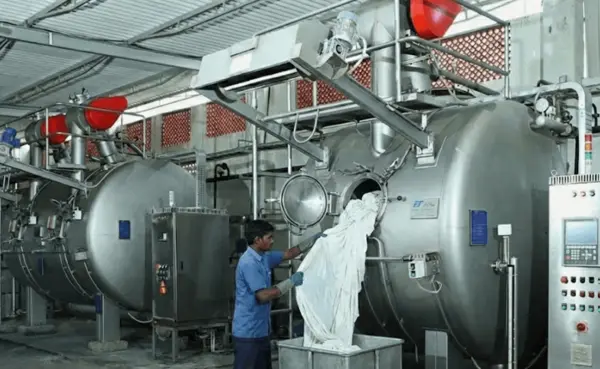
Textile CAD software is not one single category.
A weaving mill needs software that can create loom-ready dobby or jacquard files. A textile print studio needs seamless repeats, color separation and production color management. A knitting company needs stitch and yarn simulation. An apparel brand may be looking for 2D pattern development and realistic 3D garment fitting.
Selecting the wrong type of CAD system can leave a company with impressive visualizations but no practical path to production.
This guide compares seven active textile CAD platforms according to their intended applications, production capabilities, integration and suitability for different textile businesses.
Quick answer: NedGraphics and Pointcarre offer broad textile-design coverage. ArahWeave is a strong specialist option for dobby and jacquard weaving. AVA is designed primarily for printed textile design, repeats and color separation. EAT DesignScope and Penelope CAD focus on weaving and production integration. CLO is the most relevant option when “textile CAD” actually means 2D patterns and 3D garment visualization.
Best Textile CAD Software at a Glance
| Software | Best for | Main applications | Production orientation |
|---|---|---|---|
| NedGraphics | Large textile groups and multi-category studios | Print, jacquard, dobby, knit, tuft and carpet | Strong CAD/CAM and modular production tools |
| Pointcarre | Studios needing several textile disciplines in one platform | Print, weave, jacquard, knit, tuft and mapping | Design-to-production modules |
| ArahWeave | Weaving mills and dobby/jacquard specialists | Dobby, jacquard, yarns and fabric simulation | Direct loom-format support |
| AVA CAD/CAM | Textile print studios and digital printing workflows | Repeat design, colorways, separations and color management | Print-production focused |
| EAT DesignScope | Industrial weaving and knitting operations | Jacquard, dobby, knitting and simulation | Strong mill and loom-network integration |
| Penelope CAD | Dobby and jacquard weaving companies | Weave development, simulation and production | ERP and production connectivity |
| CLO | Apparel designers and virtual-sampling teams | 2D patterns, 3D garments, fit and presentation | Apparel product development |
These systems are not direct substitutes for one another. The correct choice depends first on what you manufacture.
How We Evaluated the Software
This comparison is based on currently published vendor information and the practical requirements of textile design and manufacturing.
The following factors were considered:
- Textile applications supported
- Repeat, weave, knit or pattern-development tools
- Fabric and yarn simulation
- Production-ready output
- Loom, printer, cutter or ERP integration
- Color management
- File compatibility
- Platform and hardware requirements
- Training and local support
- Licensing and total ownership cost
Pricing is not ranked because most professional textile CAD systems use configuration-dependent quotations. A meaningful comparison must include the required modules, training, support, upgrades and production interfaces.
1. NedGraphics
Best for: Large textile manufacturers, design studios and companies working across several textile categories.
NedGraphics provides one of the broadest collections of specialist textile-design applications. Its portfolio covers printed fabrics, jacquard, dobby, knitting, tufting, carpet, color management and presentation.
Instead of offering one general drawing program, NedGraphics provides specialized modules for different stages of textile development.
Its current portfolio includes tools for:
- Print design and repeat creation
- Color reduction and artwork cleaning
- Textile colorways
- Jacquard design
- Dobby design
- Woven-fabric simulation
- Knitted-fabric design
- Yarn and color management
- Carpet and tuft design
- Textile mapping and presentation
- Adobe Illustrator and Photoshop workflows
Why it stands out
NedGraphics is particularly relevant to organizations producing several types of textile products. A home-textile company, for example, may need print design, jacquard development, colorways, carpet tools and realistic customer presentations.
Its specialized modules allow each department to use tools designed for its production process rather than forcing every workflow into a generic graphics program.
NedGraphics also offers loom-ready dobby and jacquard capabilities. Its Dobby software can develop complex weaves, analyze scanned fabrics, simulate results and export production information to supported looms.
Advantages
- Broad coverage across textile disciplines
- Dedicated applications for print, weave, knit, carpet and tuft
- Professional colorway and color-management tools
- CAD/CAM capabilities for production
- Adobe plug-ins for creative workflows
- Suitable for multi-user and multi-department organizations
Limitations
- Selecting and licensing the correct modules can be complex
- A complete implementation may require substantial training
- Small studios may not need the breadth of the entire ecosystem
- Local technical support should be confirmed before purchase
Who should choose NedGraphics?
Choose NedGraphics when your organization works across multiple textile categories or needs specialized design applications connected to production.
A small weaving mill requiring only dobby and jacquard functionality should also compare it with ArahWeave and Penelope before deciding.
Official information: NedGraphics textile design software.
2. Pointcarre
Best for: Textile studios and manufacturers wanting print, weave, knit and visualization tools inside one environment.
Pointcarre is a modular textile CAD platform covering print design, color separation, dobby, jacquard, knitting, tufting, mapping and production connectivity.
The platform’s main distinction is its ability to move between several textile-design disciplines without building a workflow around multiple unrelated applications.
Pointcarre states that its software runs natively on both Windows and macOS, which can be particularly relevant to creative studios using Apple hardware.
Why it stands out
A textile designer may begin with scanned artwork, clean the image, create a repeat, develop colorways, convert the concept into a woven structure and map the resulting fabric onto a product.
Keeping these activities within one software family can reduce repeated file conversion and simplify training.
Pointcarre also provides tools for loom communication and production management, making it more than a presentation-only design program.
Advantages
- Print, weaving, knitting, tufting and mapping capabilities
- Native Windows and macOS support
- Seamless-repeat and color-separation tools
- Dobby and jacquard design
- Fabric visualization and 3D mapping
- Training resources through Pointcarre Academy
- Suitable for studios working across different product categories
Limitations
- Required modules must be identified carefully
- Machine and loom compatibility should be demonstrated
- Buyers should verify local training and service availability
- Broad functionality may be unnecessary for a single-purpose mill
Who should choose Pointcarre?
Choose Pointcarre when designers must work across print, weave, knitting and presentation workflows, particularly when both Mac and Windows compatibility matters.
Official information: Pointcarre textile CAD software.
3. ArahWeave
Best for: Weaving mills, jacquard and dobby designers, converters and textile-design schools.
ArahWeave is a specialist CAD/CAM system for woven-fabric design and production. It combines dobby and jacquard development inside one product and works with technical fabric information such as:
- Weave structure
- Warp and weft patterns
- Yarn composition
- Yarn colors
- Fabric density
- Denting
- Variable density
- Fabric cross-sections
- Production cost data
Design changes are reflected immediately in the fabric simulation. Once approved, supported production files can be sent to industrial dobby or jacquard looms.
Why it stands out
ArahWeave is more production-focused than a generic surface-pattern tool. It does not merely create a picture that resembles woven fabric; it works with the structural information needed to produce that fabric.
The system supports major industrial loom formats and includes tools for float correction, complex thread patterns, multiple fabrics, fabric costing and ERP-oriented XML exchange in applicable packages.
Arahne also provides ArahPaint for drawing patterns in repeat and fabric density, ArahDrape for product mapping and ArahView 3D for visualization.
A downloadable demonstration version is available, and the company publishes information about several package levels.
Advantages
- Integrated dobby and jacquard development
- Realistic simulation using technical fabric data
- Direct support for major loom formats
- Large included weave database
- Weft-blanket development tools
- Fabric price calculation in production editions
- XML and HTML technical-data output
- Demonstration and entry-level options
- ArahPaint is available for repeat drawing
Limitations
- Primarily focused on woven fabrics
- Not a complete apparel pattern-development system
- Industrial loom interfaces depend on the selected package
- Advanced weaving functions require technical knowledge and training
Who should choose ArahWeave?
Choose ArahWeave when woven-fabric development and loom-ready production data are your primary requirements.
It is particularly suitable for shirting, suiting, home textiles, ties, scarves, blankets and other dobby or jacquard products.
Official information: ArahWeave CAD/CAM for weaving.
4. AVA CAD/CAM
Best for: Printed-textile studios, engravers, digital printers and companies requiring repeat design and color separation.
AVA is designed around printed textile and decorative-surface workflows. Its tools cover artwork creation, seamless repeats, colorways, spot-color separation, digital printing and production color management.
The Create and Repeat module allows designers to work in live repeat using drops, steps, mirrors and other repeat arrangements. Scanned artwork, layered images, vectors and other imported files can be incorporated into the workflow.
Why it stands out
A generic image editor can create an attractive repeat, but textile printing also requires technically correct joins, controlled colors and production-ready separations.
AVA combines creative repeat tools with color-separation and color-management capabilities. This makes it relevant to studios preparing designs for rotary-screen, flat-screen and digital textile printing.
Advantages
- Live seamless-repeat design
- Tools for scanned and original artwork
- Spot-color and tonal separations
- Textile colorways
- Digital-print workflows
- Production color management
- Photorealistic product presentation
- Compatibility with common creative applications
Limitations
- Not designed for garment pattern grading or marker making
- Not a primary system for jacquard or dobby loom programming
- Accurate color workflows require proper monitor, printer and spectrophotometer control
- Module and training costs require a customized quotation
Who should choose AVA?
Choose AVA when printed textile design, color separation and production color management are more important than weaving or apparel-pattern functions.
It is particularly relevant for fashion prints, furnishing textiles, bedding, wallcoverings and decorative surfaces.
Official information: AVA Create and Repeat and AVA textile color separation.
5. EAT DesignScope
Best for: Industrial weaving and knitting companies requiring design, simulation and production connectivity.
EAT—The DesignScope Company—develops textile CAD/CAM applications for electronic patterning, fabric simulation and production data.
Its portfolio covers weaving, jacquard processing, knitting, lace, labels, terry towels, carpets, yarn simulation and mill networking.
DesignScope workflows can take a pattern from initial artwork through weave assignment and simulation to machine-specific production information.
Why it stands out
EAT’s strength lies in connecting fabric development with industrial production.
Its Jacquard Processing tools can assign weaves to design colors, check floats, define selvedges and convert designs into machine formats for controllers such as Stäubli, Bonas and Grosse.
LoomNet can organize and transfer production files to supported weaving equipment, while DesignBase provides a multi-user archive for patterns and production information.
Advantages
- Broad weaving and knitting applications
- Jacquard and dobby production tools
- Fabric and yarn simulation
- Machine-specific output
- Loom networking
- Multi-user design archives
- ERP and production-system integration options
Limitations
- Primarily intended for professional industrial environments
- Product selection can be complex
- Implementation may require consulting and process mapping
- Pricing and configuration generally require direct discussion
Who should choose EAT?
Choose EAT when the project extends beyond design and requires structured data movement from the design department to weaving or knitting production.
Official information: EAT DesignScope textile CAD/CAM.
6. Penelope CAD
Best for: Weaving companies specializing in dobby and jacquard fabrics.
Penelope CAD provides dedicated systems for designing, producing and simulating dobby and jacquard textiles.
The software combines technical fabric development with realistic simulations that can also be used for digital presentations and customer approvals.
Penelope also provides connectivity tools for sharing design information between design, production and other departments.
Why it stands out
Penelope is narrower than a broad platform such as NedGraphics, but that specialization can be an advantage for weaving companies.
Its dobby and jacquard tools are designed around actual fabric production rather than general-purpose graphic design. Available marketing tools can turn fabric simulations into collection presentations and online showrooms.
Advantages
- Dedicated dobby and jacquard systems
- Realistic woven-fabric simulation
- Production and ERP integration options
- Collection-presentation tools
- Online showroom capabilities
- International support network, including representation in India
Limitations
- Less suitable for printed-textile studios
- Not an apparel patternmaking system
- Module prices require a vendor quotation
- Loom and ERP compatibility should be verified during the demonstration
Who should choose Penelope?
Choose Penelope when your main work is industrial dobby or jacquard development and you want design, production and presentation functions within the same specialist environment.
Official information: Penelope CAD Systems.
7. CLO
Best for: Fashion designers, apparel brands, pattern developers and virtual-sampling teams.
CLO is not a loom-programming or textile-print separation system. It belongs in this comparison because many people use “textile CAD software” when they are actually searching for apparel CAD and 3D garment design.
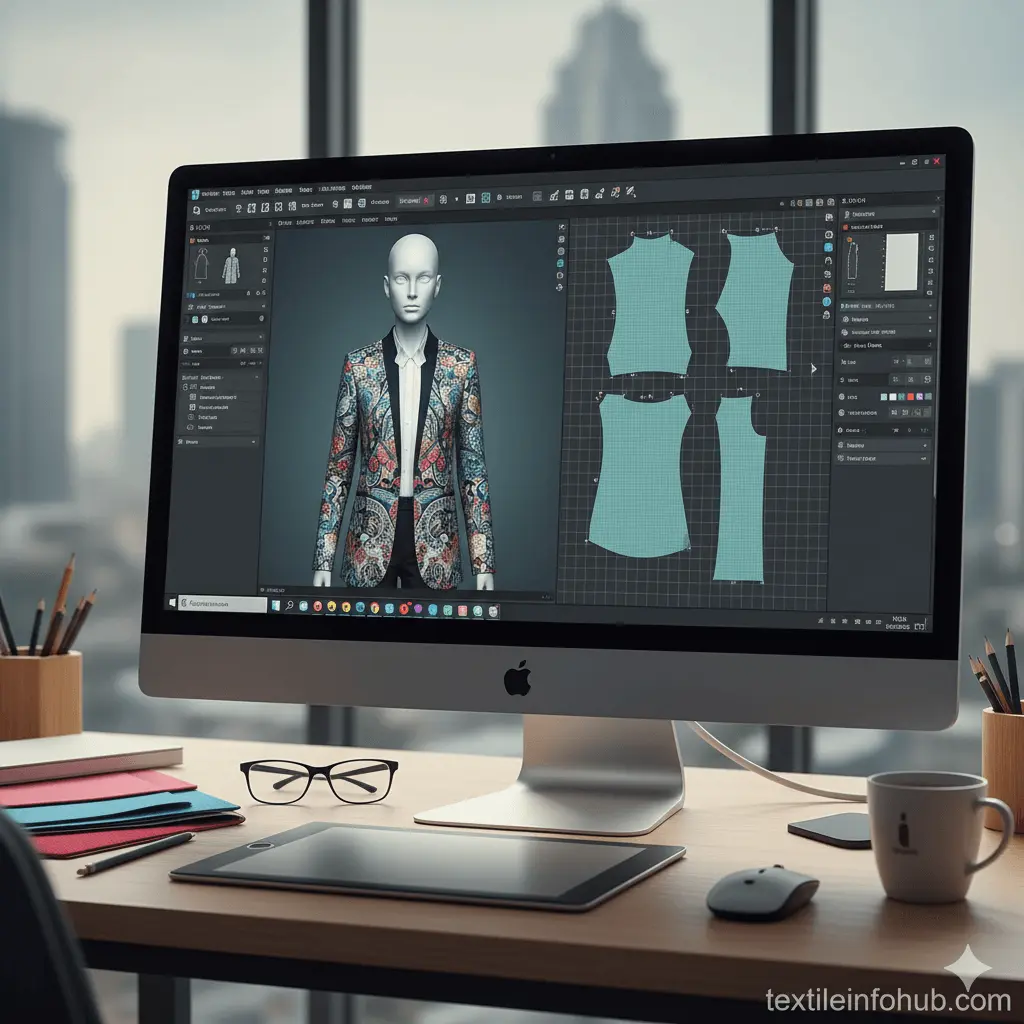
CLO allows users to create or import 2D patterns, virtually sew the pieces and drape the resulting garment on an avatar. Designers can evaluate garment appearance, colorways, fit maps, stress maps and fabric behavior before producing a physical sample.
Why it stands out
CLO makes 3D apparel development more accessible to independent designers, fashion students and brands that do not need a complete cutting-room CAD/CAM installation.
The direct relationship between the 2D pattern and 3D garment helps design teams evaluate visual appearance and fit while reducing avoidable sample iterations.
Advantages
- 2D garment-pattern creation and editing
- 3D sewing and fabric draping
- Avatars and fit visualization
- Stress and strain maps
- Colorway and presentation tools
- Accessible subscription model
- Extensive learning resources and user community
Limitations
- Does not create industrial dobby or jacquard loom files
- Does not replace specialist print-separation software
- Not a complete substitute for high-volume marker and cutting-room systems
- Accurate simulations depend on correct fabric-property data
- Capable hardware is required for detailed 3D work
Who should choose CLO?
Choose CLO when your objective is garment development, virtual sampling and 3D fashion visualization.
For industrial pattern grading, marker making and cutter integration, compare dedicated apparel systems such as Gerber AccuMark, Lectra Modaris, Optitex or Tukatech.
Official information: CLO 3D garment fitting workflow.
Textile CAD vs Apparel CAD: What Is the Difference?
The terms are frequently mixed together, but they describe different production problems.
Textile CAD
Textile CAD develops the material itself:
- Print repeats
- Color separations
- Jacquard structures
- Dobby weaves
- Yarn arrangements
- Knit structures
- Carpet and tuft designs
- Loom or printer data
Examples include NedGraphics, Pointcarre, ArahWeave, AVA, EAT and Penelope.
Apparel CAD
Apparel CAD develops products made from the material:
- Garment patterns
- Pattern grading
- Marker making
- Fabric utilization
- 3D garment fitting
- Cutter integration
Examples include CLO, Gerber AccuMark, Lectra Modaris, Optitex and Tukatech.
A vertically integrated apparel manufacturer may need both categories.
How to Choose Textile CAD Software
1. Define what you manufacture
Start with the product:
- Printed fabric
- Dobby fabric
- Jacquard fabric
- Knitted fabric
- Carpet or tufted textile
- Garment
- Technical textile
- Home furnishing
Do not select software from a generic feature list before defining the required production output.
2. Confirm machine compatibility
Ask whether the system can produce files for your actual:
- Loom controllers
- Knitting machines
- Textile printers
- Engraving workflow
- Plotters
- Cutters
- ERP
- PLM system
Request a live demonstration using your machine format.
3. Test your most difficult design
Do not evaluate the software using only the supplier’s prepared files.
Provide:
- A complicated jacquard design
- A large repeat
- A tonal watercolor print
- A difficult color separation
- A scanned fabric swatch
- A multi-layer construction
- A design with long-float risks
- A garment using a difficult draping fabric
4. Evaluate color management
For printed and woven textiles, ask how the system handles:
- CIELAB values
- Spectrophotometer data
- Yarn and dye color libraries
- ICC profiles
- Monitor calibration
- Printer profiling
- Colorways
- Customer-specific palettes
5. Calculate total ownership cost
Include:
- Base license
- Required modules
- Annual maintenance
- Upgrades
- Training
- Installation
- Production interfaces
- Database migration
- Additional workstations
- Remote or on-site support
- Hardware
- Color-measurement equipment
6. Check local support
A textile CAD system can remain in use for many years. Local knowledge of weaving, knitting, printing or apparel production may be more important than the length of the software’s feature list.
Best Software by Application
- Best broad enterprise textile suite: NedGraphics
- Best multi-discipline Mac and Windows option: Pointcarre
- Best specialist weaving CAD/CAM: ArahWeave
- Best for textile print and color separation: AVA
- Best for industrial weaving and knitting integration: EAT DesignScope
- Best dobby and jacquard specialist: Penelope
- Best for 3D apparel visualization: CLO
These are application-based recommendations, not claims that one system is universally superior.
Frequently Asked Questions
What is textile CAD software?
Textile CAD software helps designers develop printed, woven, knitted, tufted or other textile structures digitally. Depending on the system, it may create simulations, colorways, separations and machine-ready production files.
Which textile CAD software is best for weaving?
ArahWeave, NedGraphics, Pointcarre, EAT DesignScope and Penelope all provide woven-textile capabilities. The correct choice depends on loom compatibility, jacquard or dobby requirements, ERP integration and local support.
Which software is best for textile print design?
AVA, NedGraphics and Pointcarre are specialist options for repeat design, colorways and textile-print preparation. Adobe Photoshop and Illustrator can support creative work but do not replace every production or color-management function of dedicated textile CAD.
Is there free textile CAD software?
Arahne provides ArahPaint as a free pattern-drawing tool and offers demonstration versions of its other applications. Free or generic design tools may be useful for learning, but production environments should verify color, file-format and machine compatibility before relying on them.
Is CLO a textile CAD program?
CLO is primarily an apparel-development and 3D garment-simulation system. It can visualize fabrics on garments, but it does not replace specialist software for jacquard, dobby, knitting or textile-print color separation.
Can Adobe Illustrator replace textile CAD?
Illustrator is useful for fashion flats, vector motifs, technical drawings and some repeat development. However, it does not natively provide loom programming, industrial weave construction, fabric simulation, grading, marker making or specialist textile color separation.
Final Verdict
The best textile CAD software depends on what must be produced after the design is approved.
NedGraphics and Pointcarre are strong choices for companies requiring broad textile-design capabilities. ArahWeave is well suited to mills focused on dobby and jacquard weaving. AVA is designed around printed textiles, repeat development and color separation. EAT DesignScope and Penelope connect specialized textile design with industrial production.
CLO belongs to a different category: it is appropriate when the real requirement is apparel pattern development and 3D virtual sampling.
Before buying, test each shortlisted system with your own artwork, fabrics, production files and machines. The best demonstration is not the one with the most impressive rendering. It is the one that proves a reliable path from design to your production floor.
Last reviewed: July 2026.
Official Sources
- NedGraphics
- Pointcarre
- ArahWeave
- AVA CAD/CAM
- EAT DesignScope
- Penelope CAD Systems
- CLO Help Center
- Gerber AccuMark