Let’s be blunt: choosing textile CAD software isn’t like picking a new app for your phone. It’s a high-stakes, multi-thousand-dollar decision that will define your entire product development workflow for the next five to ten years. You’re not just buying a tool; you’re buying an ecosystem.
For years, the industry was locked in a battle between a few “legacy” giants. Today, a new generation of 3D-first, subscription-based software has completely changed the game. The sheer number of options is overwhelming.
As a professional, your time is money. You don’t need marketing fluff; you need to know what the software actually does, who it’s built for, and what it’s really going to cost.
This guide will cut through the noise. We’ll compare the major players (CLO, Tukatech, Optitex, and the legacy giants) to help you decide which system is the right investment for your business.
The Big Shift: 2D “Drafting” vs. 3D “Prototyping”
First, we have to understand the two halves of textile CAD.
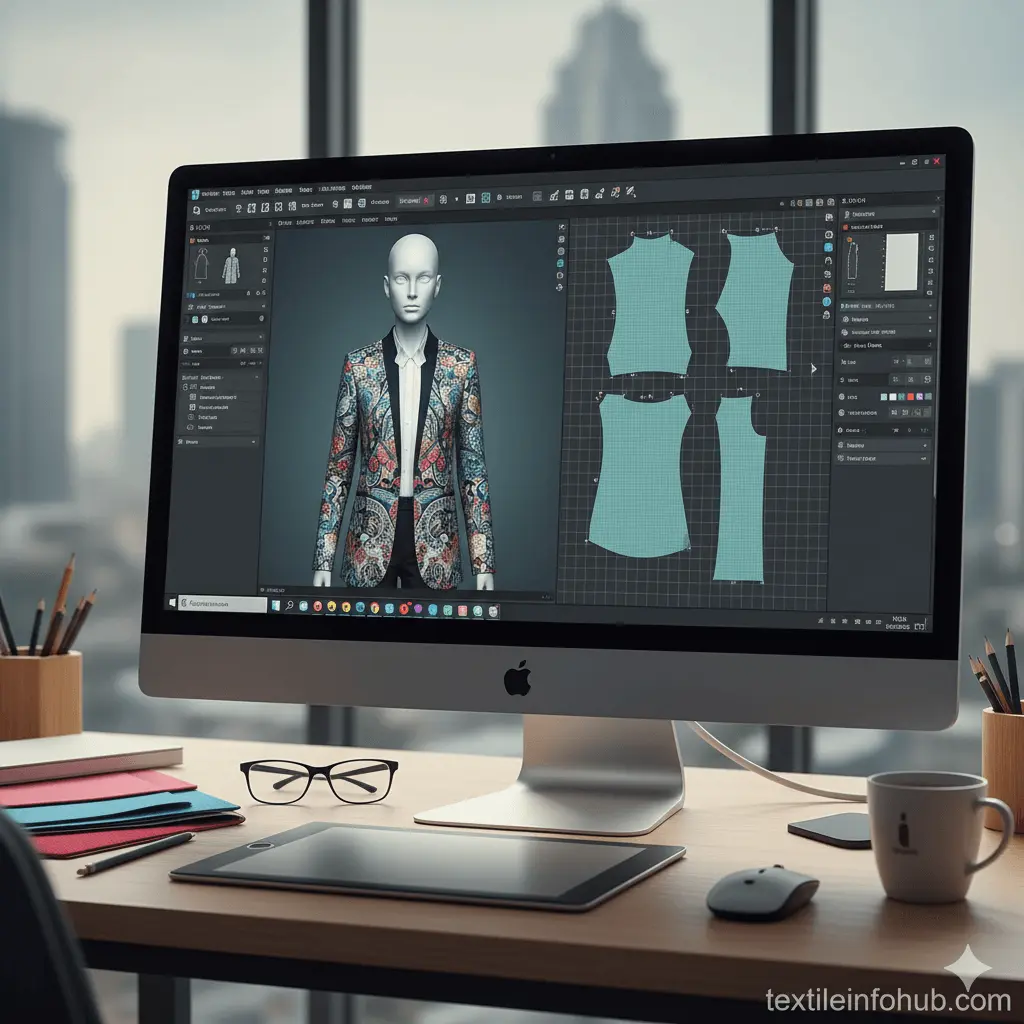
- 2D CAD (The “Blueprint”): This is the technical foundation. It’s the process of pattern making (drafting the flat pieces of a garment), grading (scaling that pattern for different sizes), and marker making (arranging the pieces on the fabric for cutting to minimize waste). This is the workhorse of production.
- 3D CAD (The “Virtual Sample”): This is the revolution. It’s the process of “sewing” those 2D patterns onto a virtual avatar to create a hyper-realistic 3D sample. This allows you to check fit, drape, and colorways without ever cutting a single piece of fabric.
For a long time, these were separate worlds. The magic of modern software is the live link between them: you change a seam on the 2D pattern and watch it update in real-time on the 3D model. This is where the real ROI is found.
Key Features to Compare (Beyond the Demos)
When you’re getting demos, don’t be dazzled by the “pretty pictures.” Ask these tough, money-saving questions:
- 2D/3D Integration: Is the link between the 2D pattern and 3D sample truly “live”? Or is it a clunky import/export process? A seamless link is non-negotiable.
- Fabric Physics Engine: How realistic is the drape? Ask to see your fabric, not their perfect demo fabric. How does it handle heavy denim vs. light silk?
- Integration (The Big One): How does this software “talk” to the rest of your supply chain? Can it export file types (DXF, AAMA, ASTM) that your factory’s cutters (like Gerber or Lectra) can read? Does it integrate with your PLM (Product Lifecycle Management) software?
- Cost Model: Are you buying a Perpetual License (a huge one-time cost, like $10,000-$30,000) or a Subscription (SaaS) (a monthly or annual fee)? Subscriptions are often more accessible for smaller businesses and freelancers.
The Top Textile CAD Players: A 2026 Comparison
Here’s the breakdown of the major software suites, their strengths, and who they’re built for Technology Guide.
1. CLO 3D
- Best For: Designers, freelancers, small-to-mid-sized brands, and 3D-first workflows.
- Focus: 3D Visualization (with strong 2D pattern-making).
- The Gist: CLO is the disruptor that changed the industry. Its success is built on a stunningly realistic fabric physics engine and, most importantly, transparent subscription pricing (around $50/month for individuals). This made 3D accessible to everyone, not just mega-corporations. It’s an intuitive tool that designers genuinely love to use.
- Pros: Unmatched 3D realism, transparent and affordable pricing, huge online community, and a massive digital fabric library.
- Cons: While its 2D tools are good, they aren’t as production-heavy as a dedicated system like Gerber’s. Its marker-making tools are not its primary strength.
2. Browzwear (VStitcher)
- Best For: Mid-to-large-sized brands and enterprises focused on deep supply chain integration.
- Focus: 3D Visualization (with strong 2D pattern-making).
- The Gist: Browzwear is CLO’s direct competitor and the other “3D-first” leader. It is an incredibly powerful and precise tool, often favored by large, established brands (like Adidas or VF Corp) for its robust integration with PLM systems and its focus on a total digital workflow, from design to e-commerce.
- Pros: Excellent 3D visualization, very strong PLM integration, and great for managing a large, collaborative team.
- Cons: Enterprise-focused pricing (you must request a quote). It can feel less intuitive for pure “creatives” compared to CLO.
3. Tukatech (TUKA3D & TUKAcad)
- Best For: Brands and manufacturers who want a single, end-to-end solution from one vendor.
- Focus: True All-in-One (2D + 3D).
- The Gist: Tukatech offers a complete “needle-to-retail” ecosystem. TUKAcad is its powerful, well-respected 2D pattern-making, grading, and marker-making software. TUKA3D is its 3D visualization tool. The key selling point is their seamless integration. They are also known for their subscription model, which allows a business to get a complete CAD system (2D, 3D, and marker making) for a single monthly fee.
- Pros: A truly integrated end-to-end system. Strong 2D and 3D capabilities. Subscription model is great for business cash flow.
- Cons: The 3D visualization, while very good, is often not considered quite as photorealistic as CLO or Browzwear.
4. Optitex (by EFI)
- Best For: Brands and manufacturers (especially in automotive, upholstery, and apparel) needing a strong 2D-first foundation.
- Focus: 2D-First All-in-One (2D + 3D).
- The Gist: Optitex has been a powerhouse for decades. Its strength has always been its Pattern Design Software (PDS 2D), which is one of the most robust and precise pattern-making tools on the market. Its 3D visualization tool is also very powerful and fully integrated. Because it’s owned by EFI, it also has fantastic integration with digital textile printers.
- Pros: Arguably one of the best 2D pattern-making systems available. Excellent integration with digital printers and other hardware.
- Cons: Enterprise-level pricing (request a quote). Can be a steep learning curve for those new to CAD.
5. Gerber (Accumark) & Lectra (Modaris)
- Best For: Large-scale, high-volume manufacturers and factories.
- Focus: 2D Manufacturing (Pattern, Grading, & Marker).
- The Gist: These are the “legacy giants.” If you own a massive cutting factory, you almost certainly run on Gerber or Lectra hardware, and their software (Accumark and Modaris, respectively) is built to power it. Their absolute, undisputed strength is in 2D marker making—creating the most efficient fabric layouts to save millions in material waste.
- Pros: Unbeatable for high-volume marker making and cutter integration. They are the industry standard for production.
- Cons: Their 3D tools have historically lagged behind CLO and Browzwear. They are sold as expensive perpetual licenses, making them inaccessible to small businesses.
6. Adobe Illustrator (The “Honorable Mention”)
- Best For: All designers.
- The Gist: Let’s be clear: Illustrator is NOT a textile CAD program. It cannot do grading, marker making, or 3D draping. However, it is the universal tool for fashion illustration, or “tech sketches.” Your tech pack will almost always have Illustrator flats. Many CAD systems have plugins to import Illustrator files, but it is a separate tool for a separate job.
At-a-Glance Comparison
| Software | Best For | 2D/3D Focus | Typical Cost Model |
| CLO 3D | Designers, Freelancers, Small Brands | 3D First | Subscription (Low Monthly) |
| Browzwear | Large Brands, Enterprises | 3D First | Subscription (Enterprise) |
| Tukatech | All-in-One Brands & Factories | 2D + 3D Balanced | Subscription (Business) |
| Optitex | Apparel & Technical Textiles | 2D First | Perpetual License (Enterprise) |
| Gerber / Lectra | High-Volume Manufacturers | 2D First (Marker Making) | Perpetual License (Enterprise) |
The Bottom Line: Who Should Buy What?
Your choice depends on your job.
- If you are a freelancer or small-to-mid-size brand: CLO is the clear winner. Its low monthly cost, incredible 3D realism, and huge community make it the most valuable and accessible tool on the market.
- If you are a mid-to-large brand building an end-to-end digital workflow: You should be getting demos from Tukatech and Optitex. Their all-in-one, integrated 2D/3D suites are built to run an entire product development department.
- If you are a massive factory that cuts fabric for a living: You are already using Gerber or Lectra. Your focus is on their 2D marker-making and cutter integration, as that is where your ROI is found.
My final advice? Don’t buy a perpetual license unless you absolutely have to. The subscription model of companies like CLO and Tukatech forces them to constantly innovate to keep your business every month. That’s a better deal for you, the customer.
One thought on “6 Best Textile CAD Software of 2026: CLO 3D vs. Gerber vs. Optitex”
Comments are closed.